
Quickstart
Use the RuleOak v0.1.0 release in a developer project
Start with the GitHub source release. Validate the package metadata, licensing checks, tests, and npm pack contents before embedding RuleOak in your own agent workflow.
1. Clone and validate the release
git clone https://github.com/ruleoak/ruleoak.git
cd ruleoak
npm install --ignore-scripts
npm run check:publish
npm test
2. Understand the package boundary
| Package | License | Developer purpose |
|---|---|---|
@ruleoak/protocol | MIT | Shared policy, decision, evidence, and replay contracts. Use this when you need stable types across adapters or frameworks. |
@ruleoak/core | Apache-2.0 | Policy evaluator, fail-closed decision model, evidence recorder, approval semantics, and replay primitives. |
@ruleoak/cli | Apache-2.0 | Command-line gate for demos, local checks, scripted workflows, and CI-friendly governance experiments. |
3. Embed the core decision point
Wrap tool calls at the point where the agent is about to execute something outside the model. RuleOak should see the actor, action, target, environment, and relevant metadata before execution.
import { evaluatePolicy } from "@ruleoak/core";

const decision = evaluatePolicy(policy, {
  actor: "agent:demo",
  action: "shell.run",
  target: "deploy-production",
  environment: "local"
});

// ALLOW: continue
// DENY: stop before execution
// APPROVAL: pause and record reviewer decision
// DRY_RUN: simulate and record evidence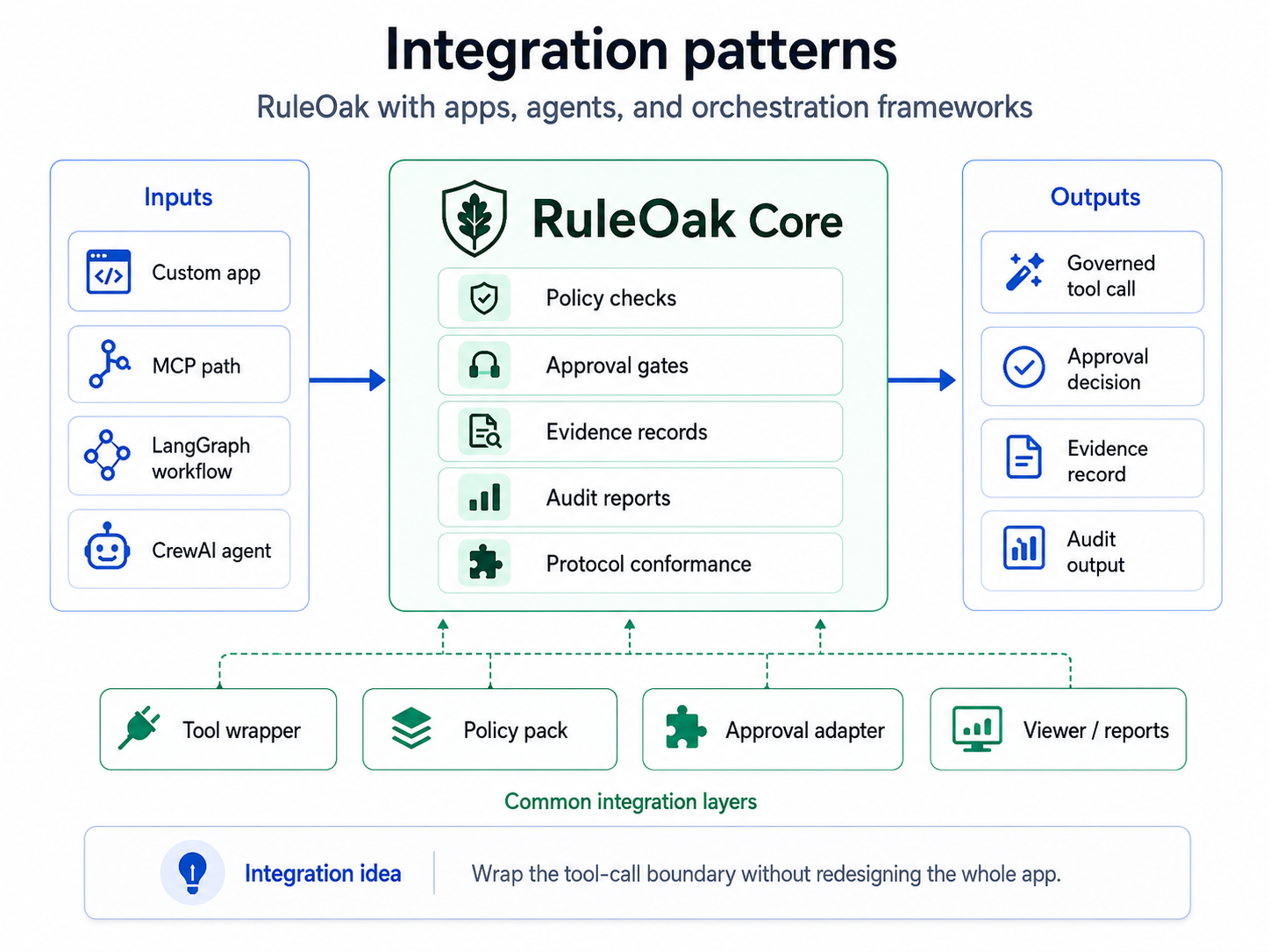
4. After npm publication
The v0.1.0 package metadata is prepared for npm publication. Before using npm install in external projects, confirm the packages are actually published under the RuleOak npm scope.
# Use the source release first.
git clone https://github.com/ruleoak/ruleoak.git
cd ruleoak
npm run check:publish

# After npm publication, install the packages by name.
npm install @ruleoak/protocol@0.1.0 @ruleoak/core@0.1.0
npm install -D @ruleoak/cli@0.1.0
Recommended integration rule
Do not let agents call high-impact tools directly. Put RuleOak at the action boundary: filesystem write, shell run, git push, email send, database mutation, production change, MCP tool call, connector write, or skill/plugin install.